Plans can change, and we've made it easy to adjust your order. You can cancel or reschedule it yourself in just a few clicks from your Backbone account.
To avoid extra costs, make your changes as early as possible. Orders with a photographer can be changed free of charge up to 24 hours before the shoot, and on-site measurements (Germany only) up to 48 hours before the appointment.
Once the appointment time has passed, the order can no longer be cancelled or rescheduled. All other products, such as editing, can't be cancelled once ordered.
You'll find the full rules in our Terms & Conditions (Art. 14).
📋 Cancellation and rescheduling policy
Here's what applies, depending on when you make the change.
Orders with a photographer
- More than 24 hours before the shoot: free of charge.
- Less than 24 hours before the shoot: 75% of the order amount is charged.
- Once the scheduled shoot time has passed (on-site): cancelling or rescheduling is no longer possible, and 100% of the order amount is charged.
On-site measurements (Germany only)
This product is only available in Germany, so these rules apply to orders in Germany only.
- More than 48 hours before the appointment: free of charge.
- Between 48 and 24 hours before the appointment: a €75.00 fee is charged.
- Less than 24 hours before the appointment: a €100.00 fee is charged.
- Once the scheduled appointment time has passed (on-site): cancelling or rescheduling is no longer possible, and 100% of the order amount is charged.
All other products (e.g. photo editing, staging, rendering)
These can't be cancelled once we've received the order, and 100% of the order amount is charged.
🧭 Step-by-Step Guide
Find your order
You can get to your order from two places, whichever you prefer.
From the Properties dashboard
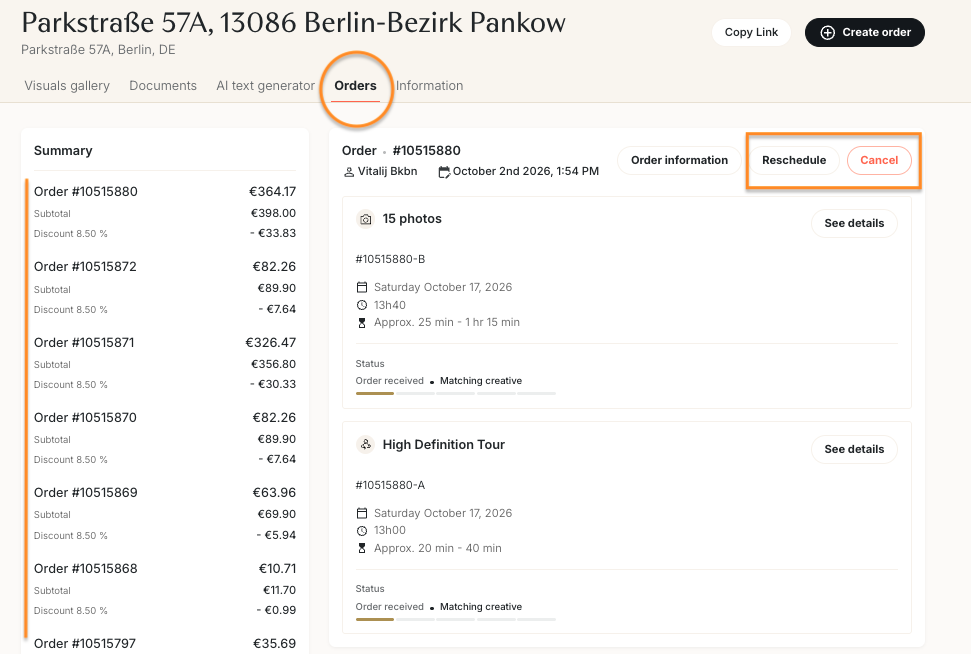
- Go to the Backbone platform and go to Properties.
- Click on the property concerned.
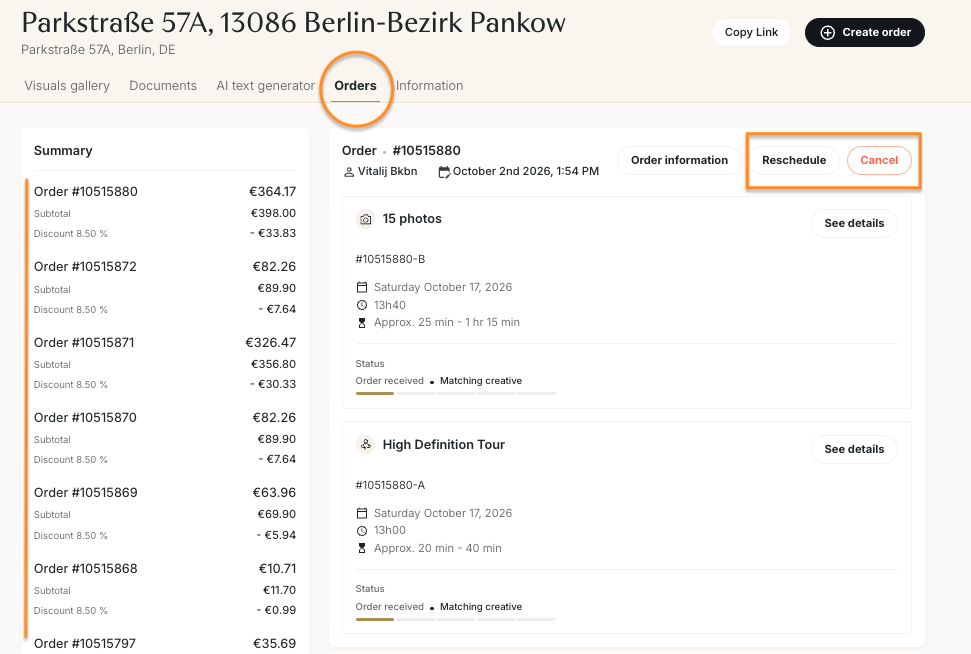
- Open the Orders tab.
- Find the order you'd like to change. You'll see the Cancel and Reschedule buttons at the top right of the order.
From the Orders dashboard
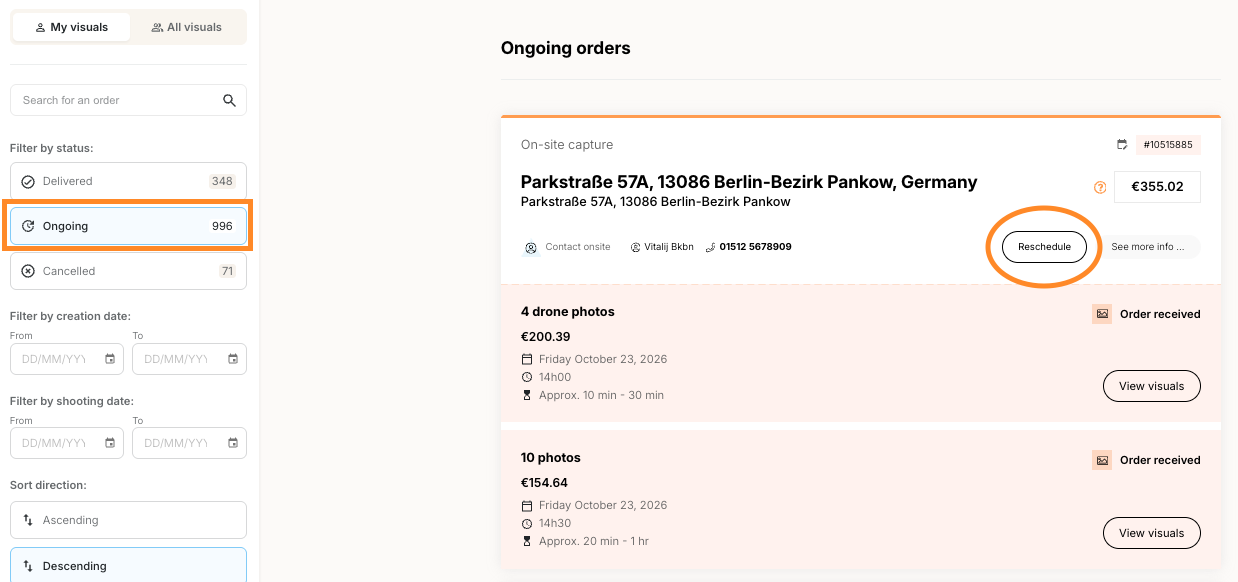
- Go to the Backbone platform and go to Orders.
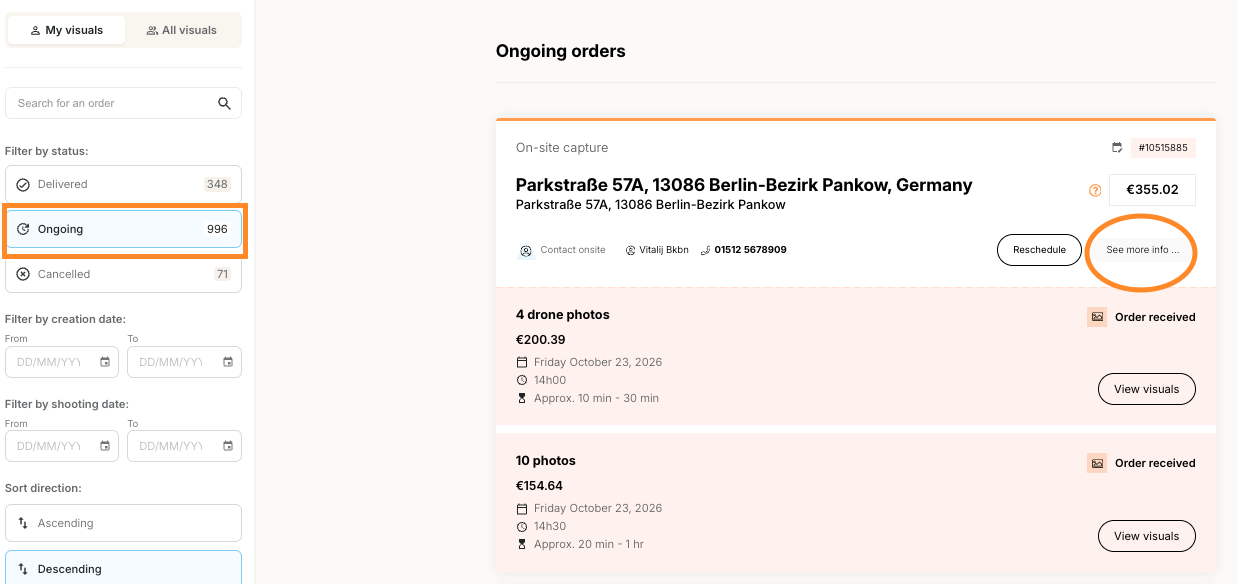
- Find your order under Ongoing orders and click See more info….
- You'll land on the property's Orders tab, where you'll find the Cancel and Reschedule buttons at the top right of the order.
Cancel an order
- Find your order (see above) and click Cancel.
- A window opens showing how much time is left before the shoot and whether a cancellation fee applies. Select the reason for cancelling (e.g. weather, not needed anymore, illness).
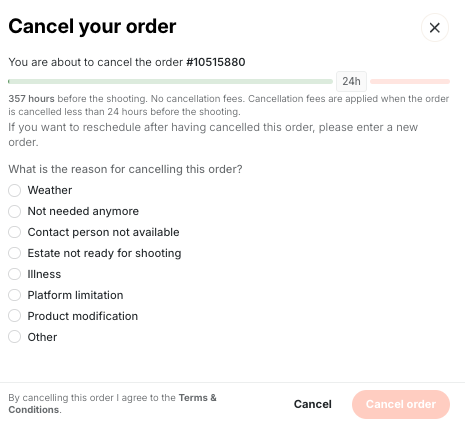
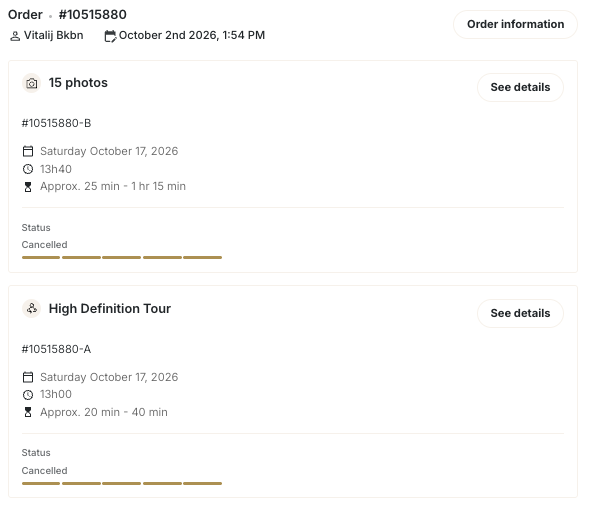
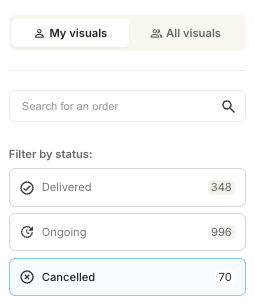
- Click Cancel order to confirm. Each product in the order will now show the status "Cancelled" in the property's Orders tab. On the Orders dashboard, you can find the order by selecting Cancelled under Filter by status.
Reschedule an order
- Find your order (see above) and click Reschedule.
- Select the reason for rescheduling (e.g. weather, illness).
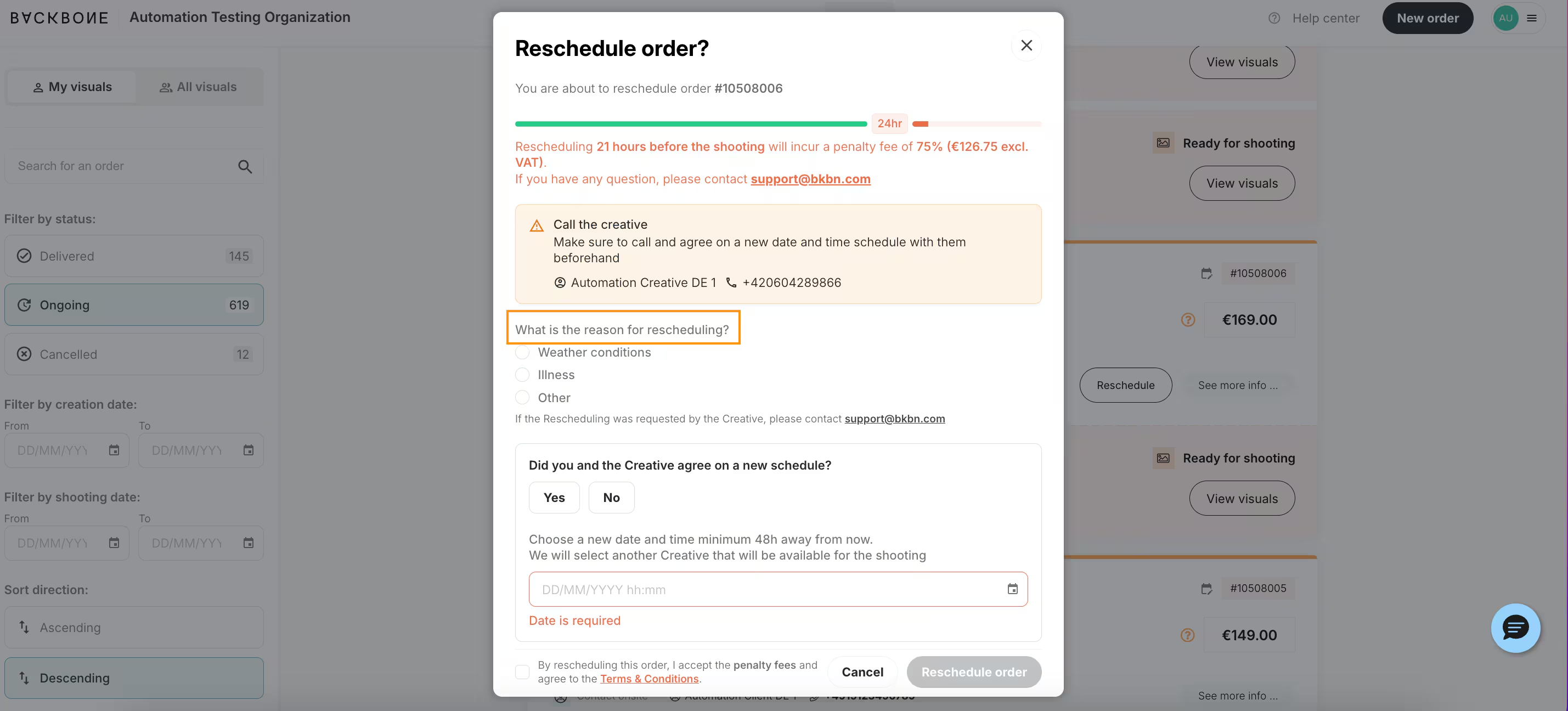
- If a photographer is already assigned, get in touch with them to check they're available on the new date and time.
- Let us know whether you've agreed on a new date and time with the photographer.
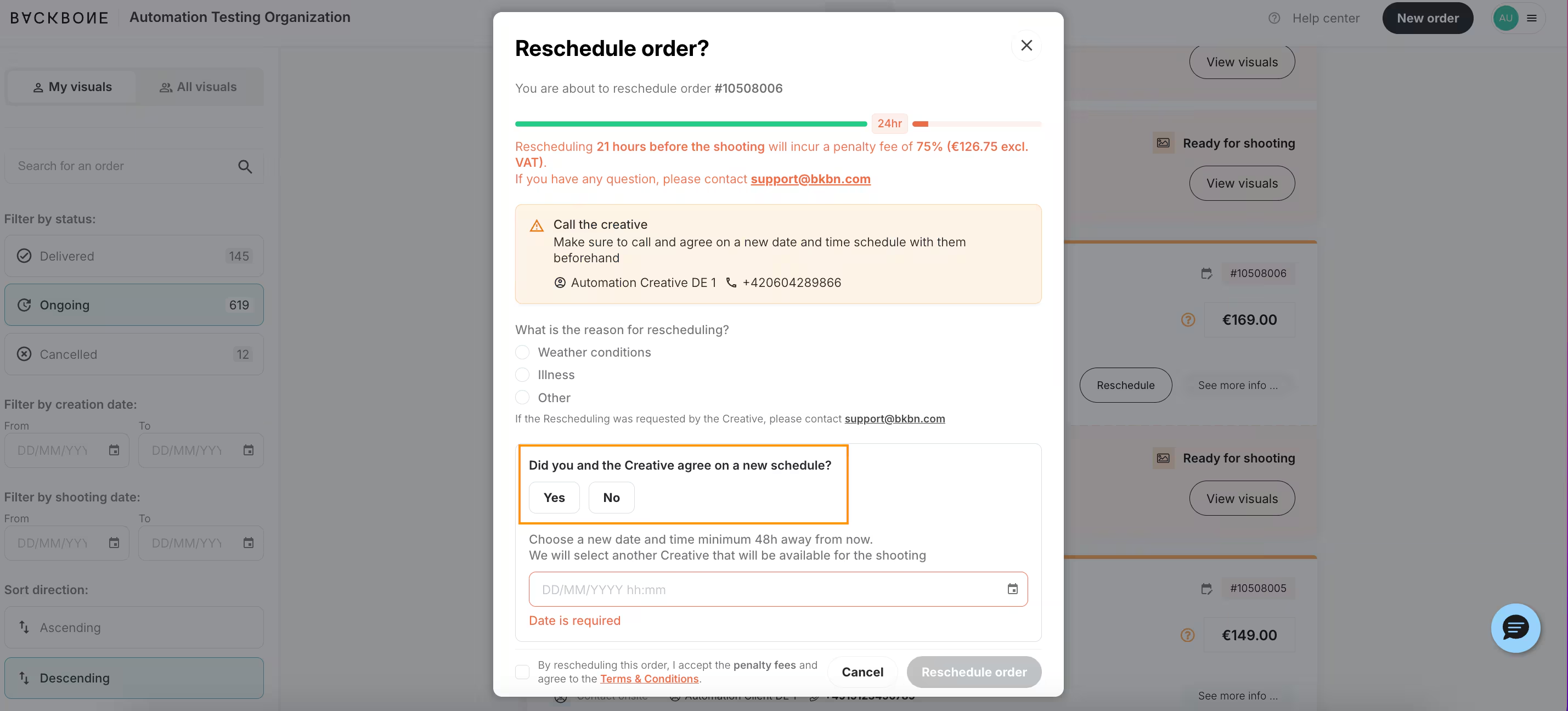
- Choose your new date and time. If you haven't agreed on a date with the photographer, our standard 48 business hours to organize a shoot apply.
- Click Reschedule order to confirm.
❓ FAQ
Q: Can I cancel or reschedule an order by email? A: Cancellations and rescheduling need to be done on the platform. If you get stuck, we're happy to help at [email protected].
Q: Can I cancel just one product in my order? A: Yes, our support team can do this for you. The Cancel and Reschedule buttons always apply to the whole order, so just email us at [email protected] and let us know which product you'd like to cancel.
Q: I cancelled my order but now need a new date. What should I do? A: A cancelled order can't be rescheduled, but you can simply place a new order with the date you need.
Q: Can I still reschedule less than 24 hours before the shoot? A: Yes, but 75% of the order amount is charged, even if the photographer accepts the new date.
Q: What happens if I don't cancel before the shoot? A: The order goes ahead as planned and is fully invoiced. Once the scheduled shoot time has passed, it can no longer be cancelled or rescheduled.