The chat on the BKBN platform is the quickest way to get help with your orders, properties and account. The Backbone Assistant answers your questions straight away, day and night. If it can't help, or if you'd rather talk to a person, our Support team takes over in the same chat, so you never have to start again.
🧭 Step-by-Step Guide
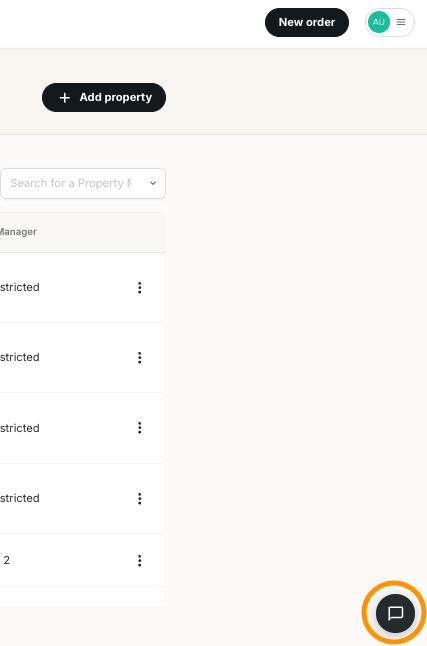
- Go to the BKBN platform and open the chat. Click the round chat button at the bottom right of any page on the platform.
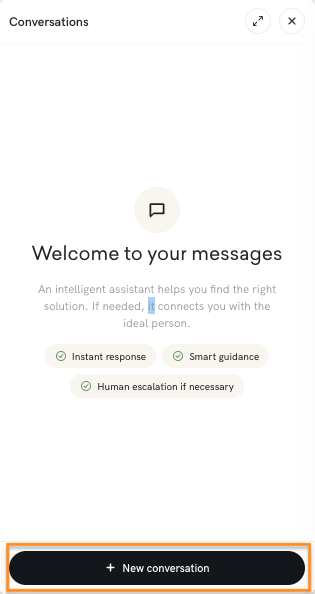
- Start a new conversation. Click New conversation and type your question.
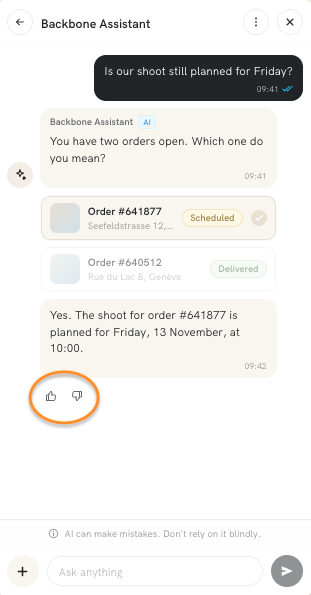
- Get your answer. The Backbone Assistant replies right away in your language, using its knowledge. If your question is solved, click the thumbs-up to close the conversation.
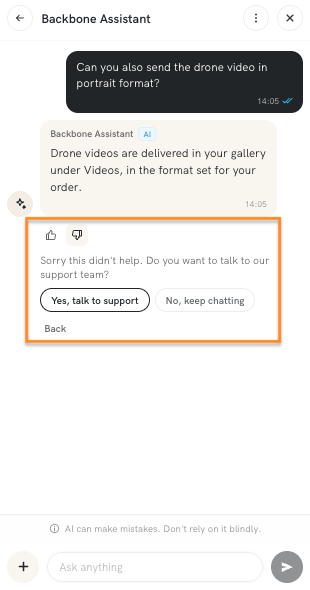
- Talk to our Support team if you need to. Ask for a person in the chat, or click the thumbs down under the answer. Questions about prices, invoices, payments or refunds go straight to our Support team. An agent joins the same chat and can read everything you've written, so you don't need to repeat anything.
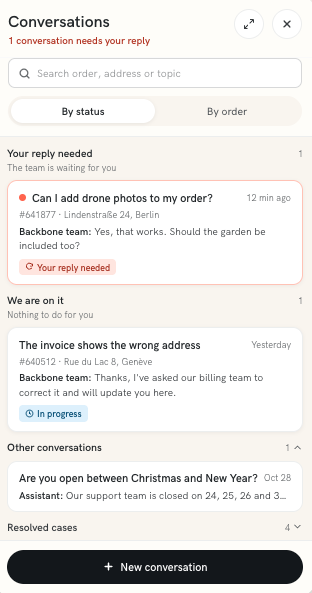
- Follow up on your request. Check the status of each conversation. Your reply needed means we are waiting for you, In progress means we are working on it, and Resolved means we have answered. When you're done, click the ⋮ menu and select Close conversation.
❓ FAQ
Q: When is our Support team available in the chat? A: Monday to Friday, from 08:30 to 17:30. The Backbone Assistant answers around the clock. If you ask for a person outside these hours, your message is saved, and an agent picks it up as soon as we reopen.
Q: Which languages can I use? A: The chat is available in English, German, French, Italian, Dutch and Spanish. Our Support team replies in English, German and French. If you write in Italian, Dutch or Spanish, the Support agent may reply to you in English.
Q: Will I get an email when Support replies? A: No. Replies stay in the chat. You'll see a red number on the chat button and in your browser tab when you have unread messages. If you allow notifications in your browser, you'll also get a desktop notification.
Q: What can't the Backbone Assistant do? A: The assistant can answer questions and look up your orders, but it can't make changes for you. It can't cancel, reschedule, edit or book an order, and it can't handle payments or refunds. For these requests, or for anything about prices and invoices, ask to talk to our Support team in the chat.
Q: Can I send files in the chat? A: Yes. You can attach up to 10 files per message, each up to 25 MB. Programs, web pages and SVG files can't be sent. If you send a photo, your conversation goes straight to our Support team, as the assistant can't open files. For larger sets of files, share a download link in the chat.
Q: How do I find an older conversation? A: All your conversations stay in the chat, open or closed. Search by order number, address or topic, or group them by order.
Q: Can I reopen a closed conversation? A: No. You can't write in a closed conversation, but you can start a new one at any time.
Q: Can my colleagues see my conversations? A: No. Conversations are personal, even if you work in the same workspace.
Q: Why can't I see the chat button? A: The chat is available for client accounts once sign-up is complete on our platform https://app.bkbn.com/.